Difference between revisions of "Documentation/4.0/SlicerApplication/LookupTables"
From Slicer Wiki
| Line 26: | Line 26: | ||
=Custom LUTs= | =Custom LUTs= | ||
| − | It is relatively easy to create custom LUTs. | + | It is relatively easy to create custom LUTs by creating a table with the colors on the wiki. See the example below. |
| + | |||
| + | |||
| + | {| class="wikitable sortable labelpage labelpagetable" border="1" | ||
| + | ! integer_label | ||
| + | ! text_label | ||
| + | ! color | ||
| + | ! notes | ||
| + | |- | ||
| + | | 0 | ||
| + | | background | ||
| + | | rgba(0,0,0,0.0) | ||
| + | | The background label is included here because it isn't an anatomical structure. | ||
| + | |} | ||
| + | |||
| + | |||
| + | * Standard color names and values: http://www.w3.org/TR/SVG/types.html#ColorKeywords | ||
| + | * [http://labelpage.halle.us/ Go here] to create a text file in Slicer LUT format. | ||
Revision as of 17:17, 18 February 2012
Home < Documentation < 4.0 < SlicerApplication < LookupTables
Overview
Slicer offers a variety of predefined lookup tables (LUT).
LUTs
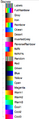
Discrete Luts
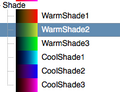
Shade Luts
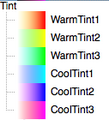
Tint Luts
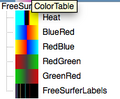
Freesurfer Luts
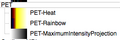
PET Luts
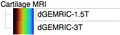
Cartilage MRI Luts
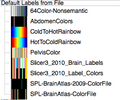
Labelmap Luts
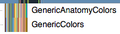
Generic Labelmap Luts


Slicer ColorPicker

LUTs for Charting
Please see the separate page
Custom LUTs
It is relatively easy to create custom LUTs by creating a table with the colors on the wiki. See the example below.
| integer_label | text_label | color | notes |
|---|---|---|---|
| 0 | background | rgba(0,0,0,0.0) | The background label is included here because it isn't an anatomical structure. |
- Standard color names and values: http://www.w3.org/TR/SVG/types.html#ColorKeywords
- Go here to create a text file in Slicer LUT format.

